Case Report (Sanctions Match Report)
A Case Report is a record created in Veriscan when a Case is screened and any potential matches (“hits”) are found that require review. If no potential matches are identified when a Case is screened, no Case Report is generated.
Case Report Properties
Each Case Report contains:
- Case reference — the Case to which the report belongs
- Sanction targets — the sanctioned entity from a sanctions or risk datasets that show similarity to the Case
- Match summary — a side-by-side comparison of the Case data and the sanction target
- Resolution status — indicates whether the report has been addressed and if the match was cleared or confirmed
- User comments (optional) — entered by analysts to track Customer Due Diligence (CDD) progress and decision rationale
- Report activity - A log of changes to the Case Report's assignee and status
A Case Report serves two main purposes:
- Action item — A task requiring review and resolution by a compliance analyst.
- Audit record — A historical record of the compliance activity (CDD) undertaken related to the case.
Case Report Status
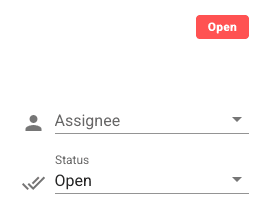
Resolving an open Case Report within Veriscan involves reviewing the match summary and setting the Case Report's status accordingling. The Case Report status and assignee are set using the dropdown menu in the upper right corner of each Case Report. See below.
Case Report API
Because Case Reports represent assigned due diligence obligations that are intended to be resolved by compliance analysts, the Case Report API restricts the ability to modify most Case Record fields.
The Case Report API offers a limited set of actions to support work flow automation, such as Case Report reassignment. Adjusting Case Report timestamps, Case Record or Match fields is not possible.